


Back in 2021 I wrote about automating Index Coverage extraction with Node.js. The script worked, but it required installing Node, configuring credentials, and running commands in a terminal. Not everyone’s cup of tea.
Since then I’ve rebuilt the tool from scratch and also created a Chrome extension. The core problem hasn’t changed, though.
The problem
Google Search Console’s Index Coverage Report gives you a solid overview of how Google sees your site: how many pages are indexed, how many are excluded, and why.
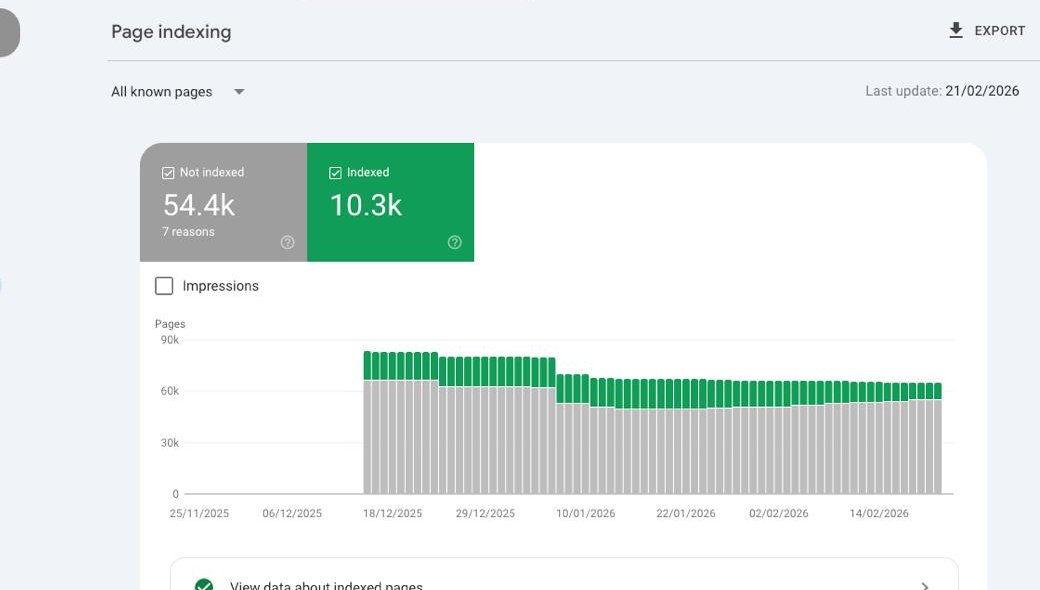
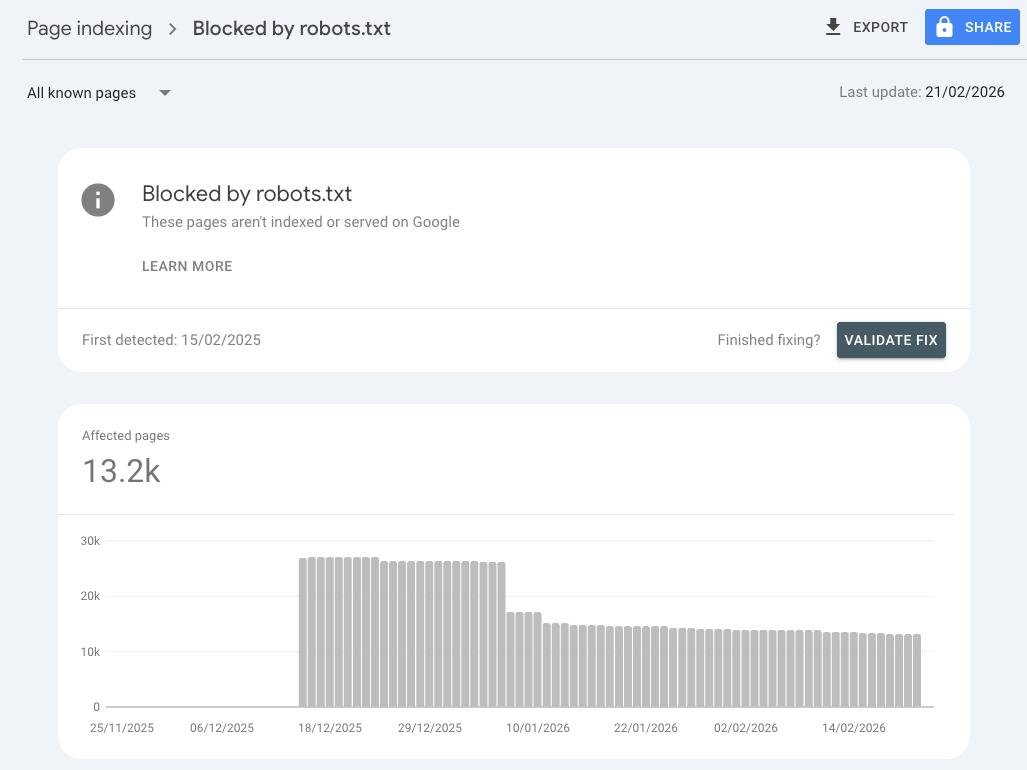
The top-level summary is useful, but the real value is in the details. Each status (Errors, Valid, Excluded…) breaks down into subcategories that tell you exactly why a URL ended up where it did.

Here’s the painful part: if you want to export the actual URLs from those reports, you have to click into each subcategory and download them one by one. If your site has 15 or 20 active reports, that’s 15 or 20 manual exports. Every. Single. Time.
The Chrome Extension
The easiest way to solve this is the GSC Index Coverage Extractor Chrome extension.
Install it, open any Google Search Console property, and let it extract all your Index Coverage reports in one go. No setup, no credentials, no terminal.
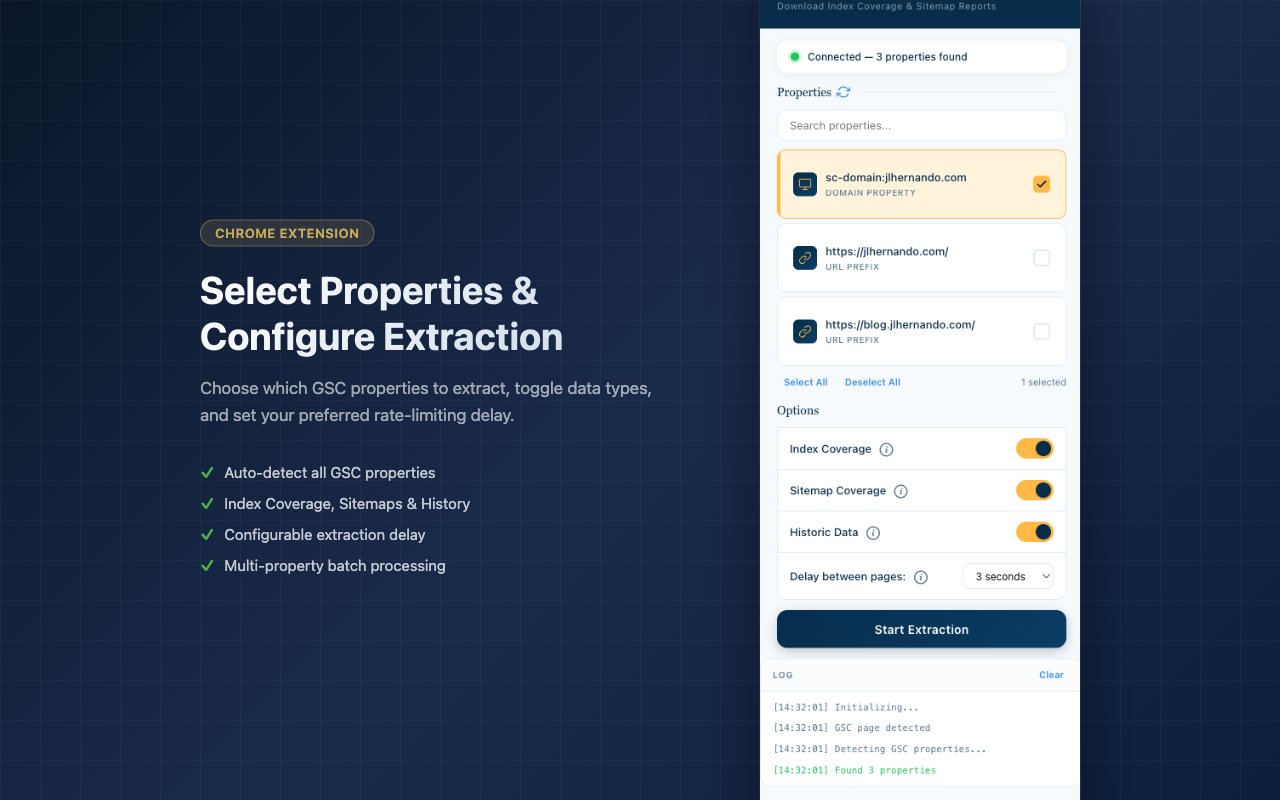
What it does:
- One-click extraction. Opens each report, extracts the URLs, and moves to the next one automatically.
- Excel and CSV output. Get a clean Excel file with a summary tab plus one tab per report, or individual CSV files.
- Multi-property support. Select multiple GSC properties and extract them all in a single session.
- Sitemap Coverage. Optionally extract coverage data from all your sitemaps too.
- Configurable pacing. Adjust the delay between page navigations to avoid rate limits.
- 100% local. Everything runs in your browser. Your data never leaves your machine.
Since the extension runs directly on the GSC pages you’re already logged into, there’s no need to configure credentials or deal with API keys.
The Command Line Tool
If you prefer automation or need to integrate this into a larger workflow, the CLI version on GitHub is the way to go.
It uses Playwright to automate a Chrome browser, logs into GSC, and extracts the same data. The v3 release reduced dependencies, added persistent sessions (so you don’t re-authenticate every run), and includes unit tests.
Key features:
- Headless or visible browser automation
- Multi-property batch processing
- Terminal UI with progress indicators
- Excel and CSV output
You’ll need Node.js installed. Check the repo README for setup instructions.
Have questions or feedback? Find me on 𝕏 @jlhernando or LinkedIn.
Get notified when I publish new tools, scripts, and articles.
No spam. Unsubscribe anytime.