



I’m a bit of a JavaScript automation nerd. I’ve written about Node.js for SEO automation a few times, but I’ve never really talked about Apps Script. It’s powerful, but the development experience was always painful enough that I never felt like writing about it. That changed recently.
The Problem with Apps Script development
If you’ve ever built anything in Google Apps Script, you might know the pain. The web editor is a bit basic although you can bypass it with clasp, debugging is a nightmare, and you’re constantly switching between tabs - BigQuery docs, Sheets API reference, Stack Overflow (or chatGPT), and your actual code.
I have a handful of Apps Script projects that I maintain for SEO reporting and other tasks. One of them queries BigQuery Bulk Export data, generates weekly trend analysis, builds deepdive reports, and emails executive summaries. It’s about 1,500 lines of JavaScript that evolved organically over months.
Every time I needed to add a feature or fix a bug, I’d spend more time looking references than actually coding.
Enter Claude Code
I started using Claude Code a few weeks ago, and it’s changed everything about how I work with Apps Script.
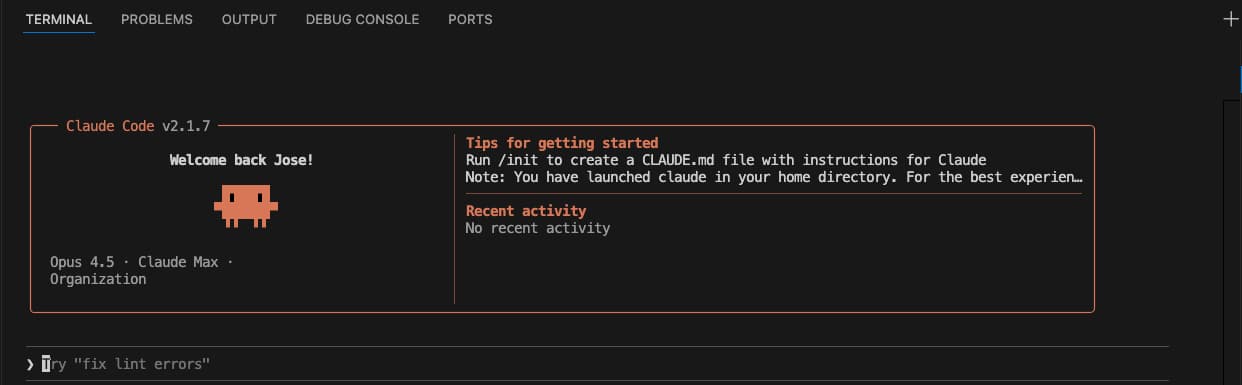
Here’s what a typical session looks like now:
Real Example: Catching up on missing weeks
I came back from the holidays and realised my weekly reporting script had missed Week 1 of 2026. Instead of manually figuring out what to backfill and writing SQL queries by hand, I just asked:
“I’m starting this in week 2 of Jan, can I have a function that checks if weeks are missing and starts from the week missing?”
Within a minute, Claude Code had:
- Read my existing
Code.jsfile - Understood the data structure (ISO weeks, BigQuery queries, trend sheets)
- Written a
catchUpMissingWeeks()function that detects gaps and backfills them - Added it to the menu for easy access
The function it wrote:
- Reads existing weeks from the sheet
- Compares against what should exist (week 1 to current week)
- Backfills missing weeks in order using my existing SQL builders
No multi-tabs. No chatGPT. No “wait, what was that BigQuery date function again?”
Catching bugs I didn’t know existed
Right after running the catchup, I noticed something odd - data was appearing in columns beyond my headers. I mentioned it:
“I’m getting data until AK column but headers until Y column - check what’s the problem”
Claude Code immediately:
- Compared my
getTrendHeader()function (25 columns) against my (newer) SQL output (37 columns) - Identified that Brand Impressions and Non-brand Impressions headers were missing
- Fixed the header array
This would have taken me 20 minutes of counting columns and cross-referencing SQL aliases. It took Claude Code about 10 seconds.
What makes this different
I’ve tried ChatGPT/Codex for coding before. The difference with Claude Code is it gets it right the first try and fast.
It’s not just autocompleting lines - it actually reads the files in your repo, understands your patterns, and makes changes that fit the existing codebase. When it added catchUpMissingWeeks(), it:
- Used my existing
backfillTrendWeeks()pattern - Added toast notifications consistent with other functions
It felt like working with someone who had actually read my code.
My New Workflow
Here’s how I approach Apps Script projects now:
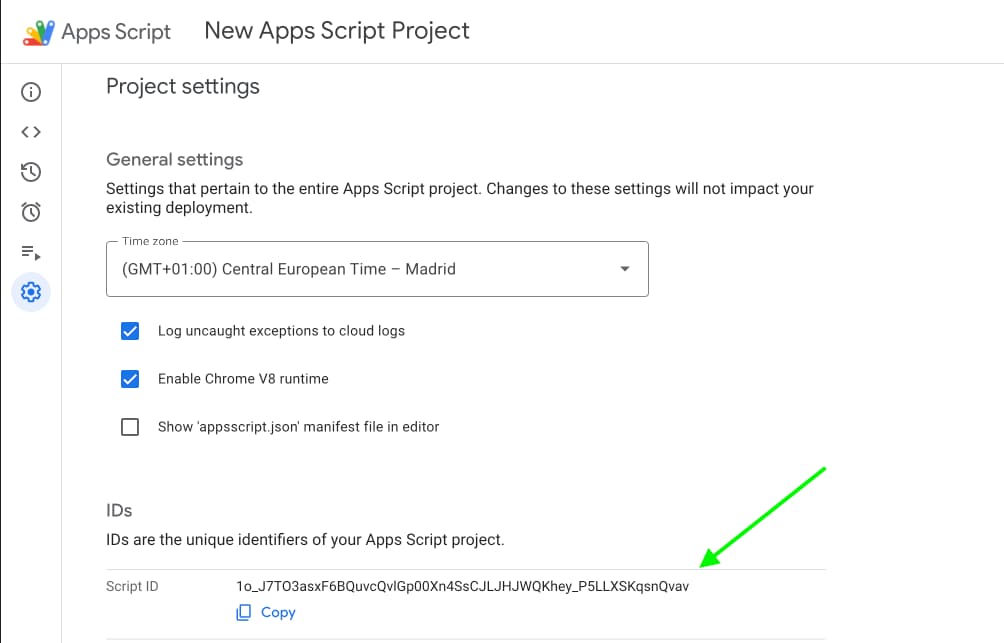
- Clone the project locally using your IDE of choice (e.g. VS code) with
clasp clone <scriptId>(only needed once per project). You can find the Script ID in the Apps Script editor under Project Settings:
- Open Claude Code in the project directory with
claude - Describe what I want in plain English
- Review and push with
clasp push
For complex features, I’ll ask Claude Code to plan first. For quick fixes, I just describe the problem and let it dig in.
Tips if you’re getting started
Be specific about your stack. Claude Code reads your files, but telling it “this is Apps Script that queries BigQuery” helps it make better suggestions. Alternatively just use /init to create context for Claude. I recommend you to do it anyway.
Let it read before it writes. If you ask for changes to a file, it’ll read it first. Don’t interrupt - that context matters.
Use it for debugging. Paste an error message or describe unexpected behaviour. It’s surprisingly good at tracing issues through your code.
Trust but verify. It’s not perfect. Always review the changes before pushing - especially for anything touching production data.
What’s next
I’m planning to migrate more of my SEO scripts to this workflow. I have a few Node.js tools that could use some love, and Chrome extensions that need updating.
If you’re building automation tools for SEO and haven’t tried Claude Code yet, give it a shot. The time savings on Apps Script alone made it worth it for me.
Have questions or want to share your own experience? Find me on 𝕏 @jlhernando or LinkedIn.
Get notified when I publish new tools, scripts, and articles.
No spam. Unsubscribe anytime.